Features
Everything needed to go from a string to a scannable symbol, with no transitive baggage.
Zero runtime dependencies
Pure Java on top of the JDK. Nothing else lands on your classpath.
Full spec coverage
QR versions 1–40, all error-correction levels (L, M, Q, H), automatic mask selection per the ISO 18004 penalty rules.
Numeric mode
Pure digit payloads are auto-detected and packed at ~2.4× byte-mode density, often fitting a smaller symbol.
Automatic version selection
The smallest symbol that fits the payload is chosen for you. Pin an explicit version only when you need one.
Styled rendering
Custom colors, quiet-zone width, rounded modules and an embedded center logo — validated at build time.
Many output formats
PNG, JPG, BMP, compact scalable SVG (works without AWT, e.g. on Android), ANSI terminal printing, or the raw module matrix.
Thread-safe and reusable
One generator instance can be shared across threads; per-version setup is computed once and cached.
Fast by design
Bit-level encoding, buffer reuse and early-exit penalty scoring keep generation in the microsecond range.
Spec-locked tests
Encoders are verified against ISO 18004 reference vectors and golden matrix snapshots.
Installation
<dependency>
  <groupId>io.github.fineiasantonio</groupId>
  <artifactId>fastqrgenerator</artifactId>
  <version>1.0.0-beta</version>
</dependency>implementation 'io.github.fineiasantonio:fastqrgenerator:1.0.0-beta'Quick Start
No version or ECC level required — the smallest fitting version is chosen automatically, with level M by default.
QRCodeGenerator generator = new QRCodeGeneratorBuilder().build();

QRCode qr = generator.generate("https://github.com/FineiasAntonio/FastQRGenerator");

try (FileOutputStream out = new FileOutputStream("qr.png")) {
    qr.writeImage(out, ImageExtensions.PNG);
}

String svg = qr.getAsSVG();   // scalable SVG, no AWT involved
qr.print();                   // ANSI blocks straight to the terminal
Styling
Colors, corner rounding and quiet-zone width are set through a validated style builder. All three symbols below were generated by this library.
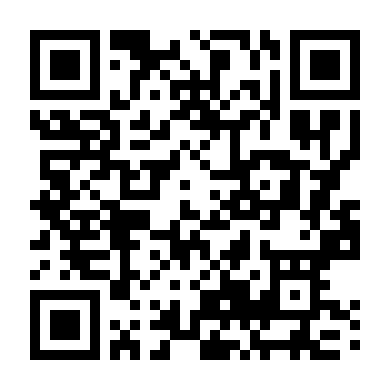
default style
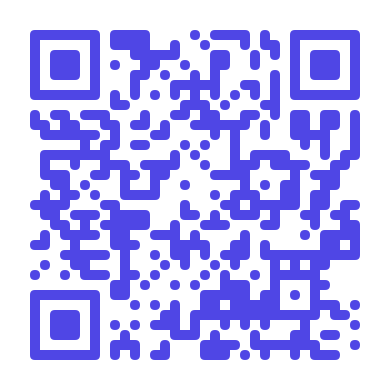
moduleColor("#4F46E5")cornerRadius(0.5)
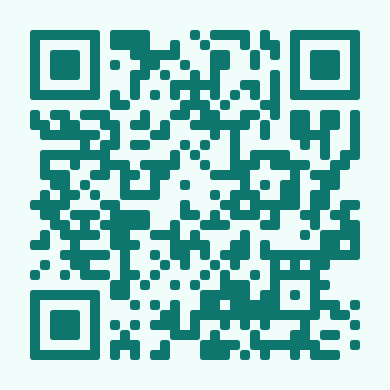
moduleColor("#0F766E")cornerRadius(0.3)
QRCodeStyleDefinitions style = QRCodeStyleDefinitions.builder()
        .moduleColor("#4F46E5")
        .backgroundColor("#FFFFFF")
        .cornerRadius(0.5)
        .centerImage(logo)        // optional; pair with ECCLevel.Q or H
        .build();

byte[] png = qr.toImageBytes(ImageExtensions.PNG, 10, style);
How a QR Code Is Generated
The library implements the full ISO/IEC 18004 pipeline from scratch. This is what
happens between generate("...") and a scannable symbol:
-
Mode detection & bit encoding
The payload is scanned once: digits only selects numeric mode (3 digits packed into 10 bits), anything else selects byte mode (UTF-8). The data segment opens with a 4-bit mode indicator and a character count, followed by the packed payload, a terminator, and alternating
0xEC/0x11padding codewords that fill the symbol's data capacity exactly. -
Version selection
With the exact bit length known, the smallest of the 40 symbol versions (21×21 up to 177×177 modules) able to hold it at the chosen error-correction level is selected — unless a version was pinned explicitly.
-
Reed-Solomon error correction
The data codewords are split into blocks, and each block is divided by a generator polynomial over the Galois field GF(2⁸); the remainder of that division becomes the block's error-correction codewords. This redundancy is what lets a dirty, damaged or logo-covered symbol still decode: levels L/M/Q/H can recover roughly 7/15/25/30% of the codewords.
-
Interleaving
Data and error-correction blocks are woven together codeword by codeword. Physical damage tends to be localized, so spreading each block across the whole symbol means a scratch or stain chips a little from every block instead of destroying one entirely.
-
Matrix construction
Function patterns are stamped onto the grid: the three finder patterns with their separators, the timing lines, the alignment patterns and the dark module — plus reserved areas for format and version information. The codeword bits then fill the remaining modules following the spec's zig-zag walk, upward and downward in two-module columns from the bottom-right corner. The library computes this placement order once per version and caches it.
-
Mask selection
Eight XOR mask patterns are applied in trial over the data modules. Each candidate is scored with the four ISO penalty rules — long same-color runs, solid blocks, finder-lookalike sequences and dark/light imbalance — and the lowest-penalty mask wins, so the final symbol avoids patterns that confuse scanners. Scoring uses run-length analysis with an early exit as soon as a trial is provably worse than the current best.
-
Format & version information
The error-correction level and the winning mask are BCH-encoded and written twice around the finder patterns; from version 7 up, BCH-encoded version information is embedded too. Readers decode these areas first, and the BCH redundancy protects them against damage.
-
Rendering
The finished matrix is rendered on demand: rasterized to PNG/JPG/BMP with styling (colors, rounded modules, center logo), emitted as a compact scalable SVG built directly from the matrix with no AWT, printed to the terminal as ANSI blocks, or read module by module through
isDark(row, col).
Numeric Mode in Numbers
Digit-only payloads — boletos, tracking codes, numeric IDs — are packed 3 digits per 10 bits instead of 8 bits per character. Smaller symbols mean faster generation and easier scanning. Measured at ECC level M with automatic version selection:
| Digits | Byte mode | Numeric mode | Generation |
|---|---|---|---|
| 47 (boleto) | V4 · 33×33 | V2 · 25×25 | 1.6× faster |
| 130 | V8 · 49×49 | V4 · 33×33 | 3.1× faster |
| 500 | V17 · 85×85 | V10 · 57×57 | 2.1× faster |
| 3000 | does not fit | V29 · 133×133 | — |